Templates
Laptop Refresh Cycle Policy: 3-Year vs 4-Year Guide
A practical laptop refresh cycle policy for small IT teams: when 3 years beats 4, early replacement triggers, and templates for policy and tracking.
If you’re a small IT team, “refresh cycle” decisions show up as budget spikes, security risk, and downtime—especially when there’s no simple policy.
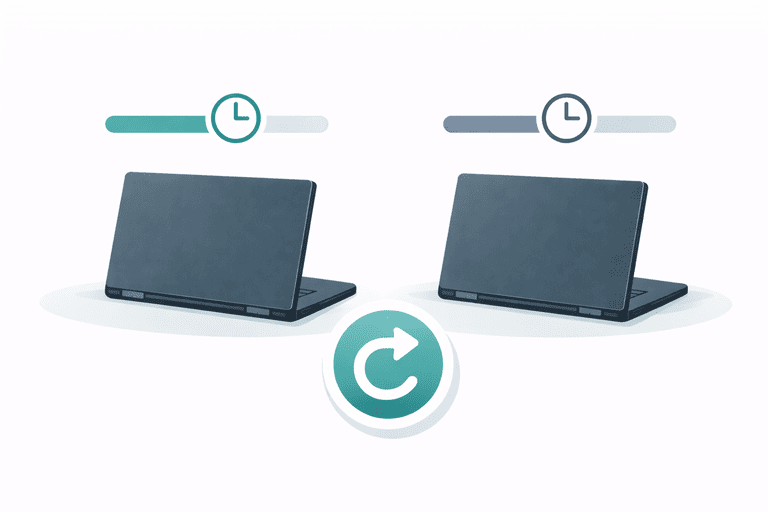
This guide is for employee laptops and issued peripherals (shared assets), not warehouse inventory, consumables, or reordering workflows.
Download templates:
- Policy: laptop-refresh-cycle-policy-template.md
- Tracker CSV: laptop-refresh-cycle-tracker.csv
TL;DR
- 48 months works for standard users if devices are stable and offboarding returns are closed reliably.
- 36 months is safer for power users and high-risk devices (security/admin).
- Refresh policy fails when records drift—pair it with quarterly verification and a return checklist.
Start here:
- Hub: IT Asset Management Hub
- Register: IT Asset Register Template (CSV)
- Returns: Offboarding Equipment Return Checklist
- Audit cadence: IT Asset Audit Frequency
Why Refresh Cycles Break in Small Teams
Common failure modes:
- No consistent purchase dates/warranty data
- “Temporary” devices stay assigned forever
- Peripherals are never verified (docks/chargers/adapters leak)
- Devices get replaced but records don’t update (ghost assets)
If you want the lifecycle view end-to-end, see: Best Practices for IT Asset Lifecycle Management.
3-Year vs 4-Year: A Practical Decision Framework
When 48 months (4 years) is reasonable
- standard office workloads
- low failure rates
- predictable offboarding returns
- you can run quarterly verification
When 36 months (3 years) is better
- developers/designers/data roles (high workload)
- high security sensitivity (admin endpoints)
- frequent travel/field work
- repeated downtime or repair costs
Early replacement triggers (simple rules)
Replace early if:
- repeated hardware failures
- battery health / performance unacceptable
- security update support ends
- repair cost is too high relative to replacement
If you’re deciding repair vs replace, this helps structure it: Condition Tracking: When to Repair vs Replace.
How to Implement a Refresh Policy (Minimal Process)
Step 1: Track the minimum fields
In your register (or tool), track:
- purchase date
- warranty end date
- refresh cycle months
- target refresh date
Template: laptop-refresh-cycle-tracker.csv
Step 2: Review the refresh list quarterly
Quarterly review aligns well with verification cadence and budget planning.
Cadence guide: IT Asset Audit Frequency.
Step 3: Close returns and update records
Refresh events create “missing device” risk if returns aren’t closed.
Use:
Step 4: Verify quarterly so policy stays true
If your records drift, refresh planning becomes fantasy.
Checklist: IT Asset Audit Checklist (for Small IT Teams).
FAQ
Do we need depreciation to set a refresh cycle?
No. Start with operational reality (downtime, security support, workload). Add depreciation/accounting integration later if it saves time.
Should peripherals follow the same cycle?
Not necessarily. Replace peripherals as-needed, but verify them at offboarding and during audits because that’s where losses happen.
What’s the simplest KPI to track?
“% of laptops past target refresh date” and “downtime incidents per device age band”. Dashboard guide: KPI Dashboard for Asset Managers.
How InvyMate Helps
InvyMate helps you keep lifecycle data audit-ready:
- assignment history
- inventory sessions for verification
- audit-ready change logs
Start here: Asset tracking built for small IT teams.
Related reading
- Best Practices for IT Asset Lifecycle Management
- Asset Aging & Replacement Models
- IT Asset Audit Frequency
- IT Asset Audit Checklist (for Small IT Teams)
- Offboarding Equipment Return Checklist
Methodology
- This page was reviewed against adjacent InvyMate workflow pages and the external references listed below.
- Recommendations are written for practical asset-tracking operations and are intended to stay specific about workflow scope, tradeoffs, and implementation boundaries.
- This page was reviewed as a template or policy starting point and should be adapted to local workflow, approval, and compliance requirements before operational use.
Related Standards and Guidance
- CIS Critical Security Control 1: Inventory and Control of Enterprise Assets · Center for Internet Security
- NIST SP 800-171 Rev. 3 · NIST
Try InvyMate
Start tracking assets with QR codes and scheduled audits.