Cost Savings
Asset Aging and Replacement Models for Refresh Cycles
A professional guide to asset aging and replacement models, with review windows, replacement triggers, and rolling refresh budgeting.
TL;DR
- Use age as a review trigger, not as the only replacement rule.
- Replacement planning gets better when condition, support cost, and operational criticality are reviewed together.
- A rolling 12- to 18-month forecast is usually more useful than one annual refresh conversation.
Make this the primary planning page for refresh timing, replacement triggers, and rolling budget reviews across aging asset classes.
- Asset Lifecycle Management Hub · hub overview
- Preventive vs Reactive Maintenance: Cost Comparisons · related article
- Condition Tracking: When to Repair vs Replace for Teams · related article
- Linking Asset Maintenance to Accounting and Forecasting · related article
Audience: IT, operations, and finance-adjacent teams planning repair, refresh, and retirement decisions
Quarterly IT Asset Audit Playbook · guide
Maintenance Scheduling · feature page
Use asset aging and replacement models to decide when equipment should be repaired, refreshed, or retired before cost and reliability problems become harder to control.
Introduction
Most replacement decisions are not really about age alone. They are about risk, support effort, user impact, and budget timing.
A three-year-old laptop may still be a good fit in one environment and the wrong fit in another. A printer with a low book value may still be worth keeping if failures are rare. A shared device that repeatedly breaks during onboarding cycles may need to be replaced earlier than its nominal lifespan suggests.
That is why useful replacement planning depends on a model, not a rule of thumb.
This guide is written for IT, operations, and finance-adjacent teams that need a professional way to plan refresh cycles. It focuses on operational decision-making, with enough structure to support budget discussions and asset reviews. It is not a substitute for your accounting policy.
TL;DR
- Start with a baseline age policy, then refine it with condition, support cost, and operational criticality.
- Do not wait for outright failure. Replace when the cost and risk of keeping the asset becomes harder to justify than the planned refresh.
- Use a rolling 12- to 18-month view so finance and operations can see upcoming replacement pressure before it becomes urgent.
The Practical Decision Model
Use four signals together.
| Signal | Question to ask | Typical action |
|---|---|---|
| Age | Is the asset beyond the normal refresh window for its class? | Move it into review, not automatic replacement |
| Condition | Is reliability or user experience degrading? | Escalate priority if failures are recurring |
| Support cost | Are repairs, swaps, or admin effort increasing? | Compare with replacement cost |
| Operational criticality | What happens if this item fails at the wrong time? | Replace earlier for high-impact assets |
That is the core model. Age gives you a starting point. The other three signals tell you whether the planned date should move.
1. Build Asset Groups Before You Model Replacement
Replacement decisions are easier when similar assets are grouped into review pools.
A practical grouping model is:
- end-user devices: laptops, desktops, monitors, docks
- shared devices: loaners, carts, meeting-room gear
- network and infrastructure equipment
- office and support equipment
- specialist or regulated equipment
Within each group, separate assets by criticality.
| Group | Typical review bias |
|---|---|
| High-criticality assets | Earlier review and stricter failure tolerance |
| Standard productivity assets | Balanced age and support-cost review |
| Low-criticality assets | Longer retention if performance remains acceptable |
If you skip this grouping step, the same replacement rule gets applied to assets with very different failure costs.
2. Choose the Right Replacement Model
Different asset classes justify different models.
| Model | Best used when | Strength | Limitation |
|---|---|---|---|
| Age-threshold model | Devices have predictable refresh windows | Simple to budget | Ignores condition differences |
| Condition-based model | Reliability varies widely across similar assets | Matches real usage patterns | Requires better field data |
| Total cost of ownership model | Repair, downtime, and support effort are meaningful | Strong budget justification | Harder to maintain consistently |
| Risk-based model | Failure impact is high even when repair costs are low | Good for critical equipment | Can feel subjective without clear criteria |
For many small IT teams, the best starting point is an age-threshold model with condition exceptions.
That means you define a normal review window, then pull assets forward or push them back based on actual evidence.
3. Define Review Windows, Not Hard Replacement Dates
Hard replacement dates are easy to communicate but often too rigid.
A review window is more practical.
Examples:
- laptops: review from year 3 onward
- monitors: review when failure rate or compatibility issues increase materially
- printers: review after repeated service events or rising consumable inefficiency
- shared kits: review earlier if missing-part or damage rates are high
This gives the team enough structure for planning without forcing unnecessary refreshes.
If you need the accounting context behind useful life and depreciation, see: Asset Depreciation Methods Explained.
4. Use Clear Replacement Triggers
A good model becomes actionable only when the triggers are explicit.
| Trigger | Why it matters | Typical response |
|---|---|---|
| Repeated failures in a short period | Reliability is dropping | Move asset to replacement review |
| Repair cost approaching a meaningful share of replacement cost | Support spend is rising without extending useful life enough | Compare replacement now vs next cycle |
| Performance complaints affecting work | Productivity cost is real even when hardware still functions | Prioritize refresh for user-facing assets |
| Security or compatibility limitations | Asset can no longer support required software or controls | Accelerate replacement |
| High-impact role or workflow dependency | Failure would block onboarding, support, or service delivery | Hold lower tolerance for aging assets |
The exact thresholds should reflect your environment. The important part is using the same rule set each quarter.
5. Connect Maintenance Data to Replacement Reviews
Replacement planning improves when maintenance data is structured, even if it is simple.
Useful signals include:
- number of repairs in the last 12 months
- recurring issue type
- total downtime or swap events
- user-impact notes
- warranty status
- condition assessment from audits or inspections
This does not require advanced analytics. It requires consistent logging.
If your current maintenance discussion is mostly reactive, start with: Preventive vs Reactive Maintenance: Cost Comparisons.
If the missing piece is not strategy but the actual recurring task sheet, use: Equipment Maintenance Schedule Template for IT and Office Equipment.
6. Build a Rolling Refresh Forecast
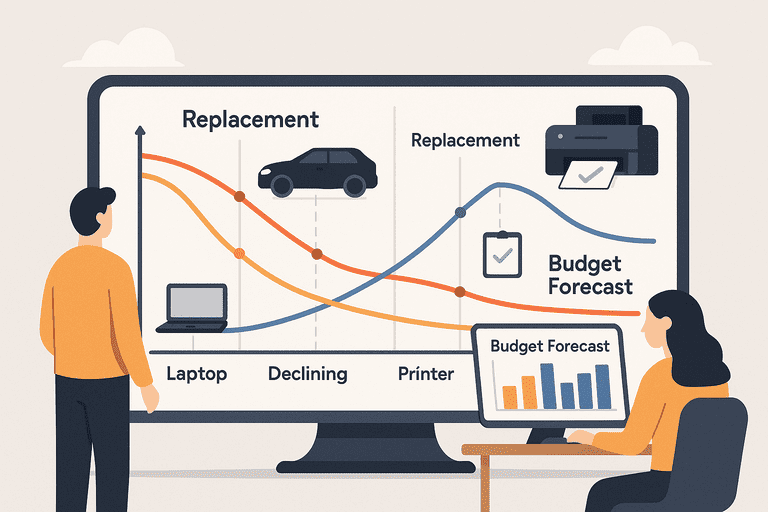
The budget discussion gets easier when replacements are visible before they become urgent.
A simple rolling forecast should answer:
- what is likely due in the next 2 quarters
- what is likely due in the next 12 months
- which assets are aging but still acceptable
- which assets are already in exception status
A practical planning table looks like this:
| Window | What to include | Output |
|---|---|---|
| Next quarter | Assets already beyond review window or with open failures | Immediate refresh candidates |
| Next 6 months | Assets approaching review window | Procurement planning |
| Next 12-18 months | Stable assets likely to age into refresh | Budget forecast and staggered replacement plan |
This avoids the common pattern where too many devices reach the same age band at once and force a budget spike.
7. Example: Laptop Refresh Review
Here is a practical way to review a laptop pool.
- group devices by purchase cohort
- mark which devices are inside the review window
- overlay support history and warranty status
- flag devices with repeated performance or repair issues
- separate standard refresh candidates from urgent replacements
That process is more useful than replacing every device at the same exact age.
If your main policy question is whether a three-year or four-year laptop cycle is more realistic, use: Laptop Refresh Cycle Policy: 3-Year vs 4-Year.
8. Common Replacement Planning Mistakes
Using only purchase date
Age matters, but not enough on its own.
Treating depreciation as the replacement decision
Depreciation supports accounting. Replacement depends on operational value, risk, and support effort.
Waiting for fleet-wide pain
By the time the whole asset class feels unreliable, the refresh plan is already late.
Replacing everything in one wave
A staggered plan is usually easier to fund and easier to operate.
Ignoring low-cost but high-friction assets
Some devices are inexpensive to replace but disproportionately disruptive when they fail.
To connect maintenance history to forecasting and finance reviews, see: Linking Asset Maintenance Data to Accounting and Budget Forecasting.
Conclusion
Professional replacement planning is not about predicting the perfect retirement date for every asset. It is about using a consistent model so refresh decisions are explainable, timely, and budgetable.
Start with grouped asset classes, review windows, explicit triggers, and a rolling forecast. That is enough to make refresh planning materially better for most teams without turning it into a complex analytics project.
Related reading
- Preventive vs Reactive Maintenance: Cost Comparisons
- Asset Depreciation Methods Explained
- Linking Asset Maintenance Data to Accounting and Budget Forecasting
- Laptop Refresh Cycle Policy: 3-Year vs 4-Year
- Condition Tracking for Repair vs Replace Decisions
Methodology
- This guide was reviewed as a practical refresh-planning page for IT, operations, and finance-adjacent teams balancing age, support effort, and budget timing across asset classes.
- It is written for operational planning and governance, not as a substitute for entity-specific accounting policy or capital-approval rules.
References
- IAS 16 Property, Plant and Equipment · IFRS Foundation
- CIS Critical Security Control 1: Inventory and Control of Enterprise Assets · Center for Internet Security
FAQ
Should depreciation determine when an asset is replaced?
Not by itself. Depreciation supports accounting treatment, but replacement timing should also reflect reliability, support effort, compatibility, and operational impact.
What is the simplest replacement model to start with?
An age-threshold model with condition exceptions is usually the best starting point. It gives predictable review windows while still allowing earlier or later replacement when evidence supports it.
Why use a review window instead of a fixed replacement date?
A review window gives the team room to evaluate condition and support history without forcing premature refreshes or waiting too long on clearly aging assets.
Try InvyMate
Start tracking assets with QR codes and scheduled audits.