Guides
IT and Office Equipment Maintenance Schedule Template
Use this small-team maintenance schedule template for IT and office equipment to cut downtime, assign owners, and keep recurring tasks on track.
TL;DR
- Use a simple recurring schedule first: weekly, monthly, quarterly, and biannual tasks by equipment type.
- Assign one owner per task category and log every completed maintenance action.
- Review the schedule monthly so overdue work, repeated failures, and replacement signals do not get lost.
Make this the primary small-team maintenance schedule template page, then route readers into strategy, repair-vs-replace, and maintenance-to-budget workflows.
- Asset Lifecycle Management Hub · hub overview
- Preventive vs Reactive Maintenance: Cost Comparisons · related article
- Condition Tracking: When to Repair vs Replace for Teams · related article
- Linking Asset Maintenance to Accounting and Forecasting · related article
Audience: Small IT and office teams maintaining laptops, printers, network gear, and shared office equipment
How To Run Inventory Sessions · guide
Maintenance Scheduling · feature page
If your team needs a maintenance schedule for laptops, printers, routers, monitors, and office equipment, the goal is not to build a complicated maintenance program. The goal is to create a simple recurring schedule that reduces downtime, catches wear early, and gives a small team a repeatable routine it can actually maintain.
Introduction
Most IT and office equipment failures don’t happen suddenly. They build up through skipped updates, dust, battery degradation, weak backups, and maintenance tasks that never get assigned to anyone.
That is why a good maintenance schedule needs three things:
- a clear asset scope
- a repeatable cadence
- an owner for each task
This guide is written for small IT and operations teams that need a practical preventive maintenance template for office and IT equipment, not a complex facilities or manufacturing program.
If you want to connect maintenance to the bigger lifecycle picture (planning -> maintenance -> audits), see the Asset Lifecycle Management Hub.
TL;DR
- Start with one schedule covering laptops, networking gear, printers, UPS devices, and shared office equipment.
- Use simple cadences first: weekly, monthly, quarterly, and biannual.
- Assign one owner per task category and log every completed maintenance action.
- Review the schedule quarterly so low-value tasks do not stay on the calendar forever.
Best Fit vs Poor Fit
Use this page if your team needs:
- a preventive maintenance schedule for IT and office equipment
- a recurring maintenance template that a small team can run
- a simple way to assign owners and review completion
- a maintenance cadence tied to audits, repair decisions, and replacement planning
This page is a weaker fit if you need:
- manufacturing maintenance planning
- industrial predictive maintenance programs
- fleet maintenance
- a building-wide facilities management standard beyond office and IT equipment
1. Why You Need a Maintenance Schedule
Maintenance isn’t just about fixing things — it’s about protecting productivity and investment.
Without a schedule, you risk:
- Unplanned downtime during critical moments
- Data loss or security vulnerabilities from outdated systems
- Higher repair costs from neglected issues
- Frustrated employees waiting for equipment replacements
A simple, proactive schedule saves time, money, and nerves.
If you’re deciding what’s worth doing proactively (and what can wait), compare approaches here: Preventive vs Reactive Maintenance: Cost Comparisons.
2. Maintenance Schedule Template (Start Here)
Use this as the first-pass schedule for a small IT or office team. Adjust only after one full review cycle.
| Category | Examples | Frequency | Purpose |
|---|---|---|---|
| Hardware Cleaning | Desktops, laptops, printers | Quarterly | Prevent overheating & dust damage |
| Software Updates | OS, drivers, antivirus | Monthly | Security & performance |
| Peripheral Checks | Monitors, keyboards, cables | Biannual | Replace damaged items early |
| Data Backups | Servers, shared PCs | Weekly | Prevent data loss |
| Network Hardware | Routers, switches | Quarterly | Prevent downtime |
| Power & Safety | UPS, surge protectors | Biannual | Safety compliance |
Consistency is more important than complexity — even a basic recurring schedule creates massive reliability gains.
3. Recommended Cadence by Equipment Type
If you need a quicker planning view, use this table to assign maintenance frequency before building the final calendar.
| Equipment type | Example tasks | Default cadence | Primary owner |
|---|---|---|---|
| Laptops and desktops | Clean vents, check battery health, verify updates | Quarterly | IT |
| Printers and scanners | Diagnostics, consumable check, jam cleanup, firmware review | Monthly or quarterly | Office admin + IT |
| Routers and switches | Firmware review, config backup, status check | Quarterly | IT |
| Shared monitors and docks | Port damage check, cable check, spare replacement | Quarterly | IT or office ops |
| UPS and power protection | Battery inspection, self-test, replacement review | Biannual | Vendor or facilities |
| Shared room equipment | Projectors, cameras, conference gear, adapters | Monthly or quarterly | Office ops |
4. Step-by-Step: Build the Schedule
Step 1. Inventory All Equipment
List every IT and office asset — laptops, routers, monitors, printers, and more.
If you still need the baseline structure first, start with: IT Asset Register Template (CSV).
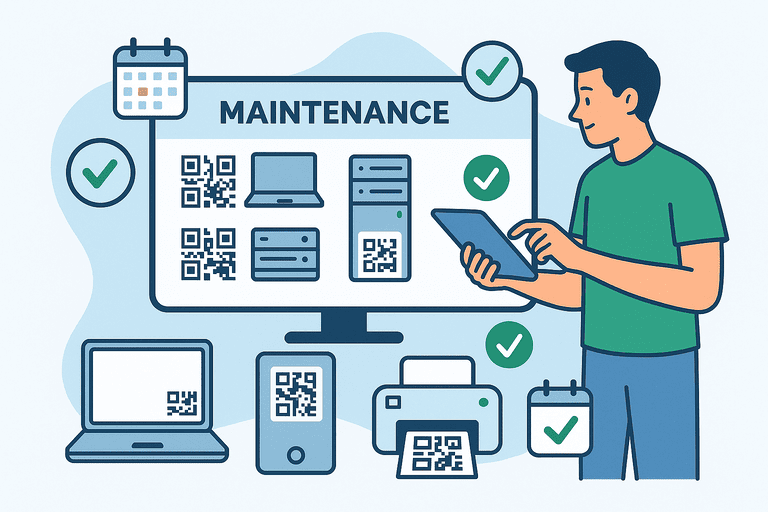
Use a platform like InvyMate to tag each one with QR codes for quick identification.
Step 2. Define Maintenance Tasks per Category
For example:
- Laptops → clean vents, update firmware, check batteries
- Printers → replace cartridges, run diagnostics
- Servers → test backups, monitor uptime
Step 3. Assign Responsibilities
Decide who performs which tasks — IT, facility management, or external vendors.
Ownership prevents forgotten maintenance.
Step 4. Automate Reminders
Use a digital system to schedule notifications when maintenance is due.
Automatic alerts keep your plan on track without manual follow-up.
If you want schedules and reminders built into your system (instead of separate calendars), see: Maintenance scheduling.
If you want to go further than calendar reminders, you can automate escalations and overdue alerts: Inventory Notifications and Escalation Workflows.
Step 5. Record and Review Results
Every completed task should be logged:
- Who performed it
- When it was done
- What issues were found
This builds an auditable maintenance history for compliance and analytics.
To keep those records audit-ready (what to check, evidence to keep, and cadence), use: Inventory Audit Checklist: What to Verify and How Often.
For a structured way to verify equipment by location (and keep results consistent), follow: How to Run Inventory Sessions.
5. 30-Minute Monthly Maintenance Review
This review keeps the schedule operational instead of theoretical.
0-10 min: check what was due
- Review all tasks due this month.
- Mark completed vs overdue.
- Confirm which overdue tasks need escalation.
10-20 min: review exceptions
- Note repeated failures or recurring repairs.
- Flag assets that may need replacement instead of another service cycle.
- Check whether any task cadence is obviously too frequent or too weak.
20-30 min: adjust next cycle
- Reassign unclear owners.
- Move unresolved items into next month with a specific deadline.
- Update notes so the next reviewer knows what changed.
If your team needs to decide whether maintenance effort still makes sense financially, use: Condition Tracking: When to Repair vs Replace.
6. The Benefits of Scheduled Maintenance
✅ Fewer Breakdowns – Regular checks catch small issues before they become big ones.
✅ Longer Asset Lifespan – Equipment runs smoother for longer.
✅ Improved Security – Consistent updates prevent vulnerabilities.
✅ Accurate Budgets – Predict replacement costs instead of reacting to failures.
✅ Happier Teams – Fewer disruptions and faster problem resolution.
7. Example: Small Office Maintenance Cycle
| Task | Responsible | Frequency | Tool |
|---|---|---|---|
| Clean desktops & check fans | Facilities | Quarterly | InvyMate + QR tags |
| Update OS and antivirus | IT | Monthly | Centralized management |
| Backup shared drives | IT | Weekly | Cloud sync |
| Inspect UPS batteries | Vendor | Biannual | Maintenance report upload |
| Replace worn peripherals | Office Admin | As needed | Expense report link |
Simple structure, powerful results.
8. Common Mistakes to Avoid
- ❌ Skipping logs — “We did it” isn’t enough for audits.
- ❌ Overcomplicating the schedule — start simple and grow.
- ❌ No ownership — unclear roles lead to missed steps.
- ❌ Ignoring feedback — adjust based on real performance.
- ❌ Treating low-value accessories the same as critical devices — use lighter cadences where appropriate.
A schedule only works if it’s maintained like the equipment itself.
9. What to Link Next
This page should usually connect to one of these next steps:
- Preventive vs Reactive Maintenance: Cost Comparisons for strategy choice
- Condition Tracking: When to Repair vs Replace for replacement decisions
- Linking Asset Maintenance Data to Accounting and Budget Forecasting for finance alignment
Conclusion
A preventive maintenance schedule turns scattered maintenance work into a repeatable system.
By organizing tasks by category, assigning owners, and reviewing completion each month, your IT and office assets stay more reliable and your team spends less time reacting to avoidable failures.
Start simple, keep the cadence visible, and refine the schedule only after your team has one stable review cycle behind it.
Related reading
- Equipment Maintenance Schedule Template for IT and Office Equipment
- The Anatomy of an Asset Lifecycle: From Purchase to Disposal
- The Ultimate Guide to Equipment Checkout Systems
- Asset Depreciation Methods: Explained with Examples
- How to Conduct a Fixed Asset Register for Small Businesses
- Asset Class Segmentation for Reporting: A Practical Guide
Methodology
- This guide was reviewed as the primary small-team maintenance schedule template page for office and IT equipment.
- It is meant to connect maintenance cadence, audit logging, and replacement decisions without drifting into industrial or facilities-heavy maintenance programs.
References
- NIST SP 800-171 Rev. 3, CM-08 System Component Inventory · NIST
- CIS Controls: Inventory and Control of Enterprise Assets · Center for Internet Security
- IAS 16 Property, Plant and Equipment · IFRS Foundation
FAQ
How often should small teams review a maintenance schedule?
A monthly review is a good default. It is frequent enough to catch overdue work and repeated failures, but light enough for a small team to maintain without turning the schedule into admin overhead.
Should every office asset have the same maintenance cadence?
No. High-use laptops, networking gear, and printers usually need more frequent checks than low-risk accessories or furniture. Start with category-based cadence, then adjust after one review cycle.
Try InvyMate
Start tracking assets with QR codes and scheduled audits.