Guides
Equipment Checkout Software for Schools: Buyer Guide
Compare equipment checkout software for schools by check-in/check-out, due dates, return condition, borrower history, and rollout effort for small IT teams.
Match checkout-software queries to workflow design, return control, and spreadsheet-replacement steps that are realistic for lean teams.
- Shared Equipment & Checkout Workflows Hub · hub overview
- Equipment Checkout Software: Choosing the Right System · related article
- Spreadsheet Alternative for Equipment Checkout Systems · related article
- Equipment Checkout System for Schools: Small Team Playbook · related article
Audience: Small teams and school IT groups managing borrowed equipment
How To Run Inventory Sessions · guide
Asset Assignment History · feature page
If you are comparing equipment checkout software for a school, start with the records the workflow must keep: who has the item, when it is due back, what condition it returned in, and what happened on previous handoffs. This guide is for small IT teams replacing spreadsheet side logs with a repeatable check-in/check-out process.
TL;DR
If you share laptops, peripherals, or other equipment:
- define a clear check-out / return workflow
- tie every checkout to a person (accountability)
- record due dates and return condition
- preserve the handoff history
- run quick audits so the system matches reality
If you’re a small IT team, start with:
Quick decision: what must the system record?
| Workflow question | Minimum record to verify | Why it matters |
|---|---|---|
| Who has the item? | Borrower, team, or location | Prevents unclear ownership during handoffs |
| When is it due back? | Checkout date and due date | Gives the team a follow-up point before an item becomes overdue |
| What came back? | Return date and condition | Separates a late return from a damaged or incomplete kit |
| What happened before? | Assignment and return history | Helps resolve disputes and repeat loss patterns |
| Is it available now? | Current status and location | Lets staff answer availability questions without side sheets |
For a small team, these workflow records matter more than a long feature list. Validate them in a pilot before expanding the scope.
Introduction
If your school shares laptops, chargers, cameras, lab kits, or AV gear, the issue is rarely buying equipment. The issue is knowing exactly who has what right now.
For small IT teams, manual check-out logs break first: returns are missed, ownership history is unclear, and staff spend too much time chasing devices instead of supporting classes.
This guide gives school managers and IT coordinators a practical buying and rollout playbook. You will learn what to evaluate, which features matter most for daily operations, and how to move from spreadsheet checkouts to a reliable process.
What a small school IT team should verify
- Borrower accountability: each checkout is tied to a person, team, or location.
- Return control: due dates, overdue follow-up, and return condition are visible without a second sheet.
- History: the team can review previous assignments and returns when an item is disputed.
- Pilot fit: staff can complete the basic flow with the devices and permissions they already use.
What Is an Equipment Checkout System?
An equipment checkout system is a process or tool that records the lending and returning of assets.
Instead of relying on a notebook or sticky notes, a proper system helps you:
- Assign items to employees, teams, or members
- Track usage history
- Prevent losses and accountability gaps
- Automate reminders for overdue returns
Modern systems are usually software-based, supported by QR codes or barcodes for quick scanning.
Common Problems Without a Checkout System
Schools and small teams that do not use a consistent checkout process often face:
- Lost equipment — nobody knows who took it last.
- Duplicate purchases — buying new items when existing ones are misplaced.
- Frustrated staff — wasted time hunting for tools or laptops.
- Accountability gaps — no audit trail in case of damage or loss.
- Insurance and compliance risks — incomplete tracking makes claims harder.
If you’re still using spreadsheets as the “checkout system”, this explains the failure modes: Why Spreadsheets Fail at Asset Tracking (And What to Use).
In short, no system = chaos.
How Equipment Checkout Systems Work
Here’s a typical workflow:
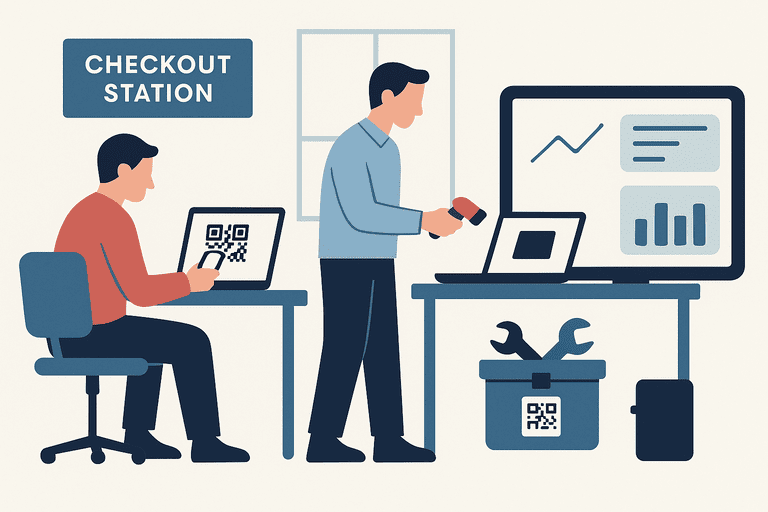
- User scans or requests an item (via QR code, barcode, or digital form).
- System records the checkout — who took it, when, and for what purpose.
- Asset is marked as “in use” in the database.
- User returns the item — scanning it back in or confirming return.
- System logs the history and updates availability.
Key Features of a Good Equipment Checkout System
1. Simple Check-In/Out
- QR or barcode scanning makes it fast.
- Cloud-based systems update in real time.
To design a checkout experience that reduces mistakes (especially on mobile), see: Asset Check-In/Out Flow Design: UX That Reduces Errors.
2. User Accountability
- Each checkout is tied to a specific person.
- Usage history prevents blame-shifting.
3. Due Dates, Notifications, and Alerts
- Due dates and reminders for overdue returns.
- Notifications for upcoming maintenance.
4. Return Condition and History
- Record whether the item returned complete and usable.
- Keep the previous borrower, dates, and exceptions visible.
5. Reporting & Analytics
- Who uses what most often.
- Which equipment is underutilized.
- Cost trends and depreciation tracking.
6. Integration
- Connect with HR or accounting tools.
- Sync with Slack/Teams for notifications.
Step-by-Step Guide to Implementing an Equipment Checkout System
Step 1: Identify Your Equipment
- Laptops, tablets, projectors, tools, or vehicles.
- Exclude consumables (e.g., paper, pens).
Step 2: Decide on Tracking Technology
- Barcodes → low-cost, good for simple IDs.
- QR codes → store richer data, easier scanning.
- RFID → for large-scale, automated tracking.
Step 3: Choose Your System
Options include:
- Spreadsheets (Google Sheets) → cheap, but prone to error.
- Dedicated asset software → can centralize QR scans, assignments, returns, and reporting; verify the exact capabilities before choosing.
- Custom enterprise solutions → expensive, for large organizations.
School-specific buying criteria
| Criteria | What to verify for schools | Why it matters |
|---|---|---|
| Shared device workflows | Fast check-out/check-in for laptops, tablets, cameras, and lab kits | School assets change hands often; slow flows create queue and data drift |
| Student/staff accountability | Clear assignment history and overdue visibility by borrower/classroom | Reduces loss disputes and simplifies end-of-term reconciliation |
| Label + scan reliability | QR tags that survive daily handling and scanning on common staff devices | Prevents failed scans that push teams back to manual logs |
| Role-based access | Different permissions for IT admins, teachers, and lab coordinators | Avoids accidental edits while keeping operations decentralized |
| Audit + reporting | Exportable logs for funding, compliance, and internal audit checks | Schools need verifiable records for budget and grant reviews |
| Time-to-rollout | Ability to launch in days, not months, with limited IT staff | Small school IT teams need quick wins without heavy implementation projects |
Step 4: Label All Equipment
- Apply durable labels in visible places.
- Use tamper-proof or laminated stickers for longevity.
Step 5: Train Your Team
- Demonstrate scanning and returning.
- Emphasize responsibility policies.
Step 6: Launch and Monitor
- Run audits weekly or monthly.
- Use reports to spot missing or underused items.
For a practical “what to verify” baseline, use: Inventory Audit Checklist: What to Verify and How Often.
What the workflow should make easier
1. Fewer ownership gaps
The team can see who has an item and which returns still need follow-up.
2. Faster follow-up
Due dates and return condition give staff a concrete next action.
3. Better replacement decisions
History and condition records help the team decide which items need repair, replacement, or retirement.
4. Cleaner audit evidence
Documented assignments, returns, and exceptions make internal reviews easier to prepare.
5. Less side-sheet maintenance
The team can use one workflow record instead of rebuilding ownership status across several spreadsheets.
Hypothetical example: a school laptop pool
Imagine a school IT team managing a shared pool of 40 laptops and 15 chargers. A simple pilot could start with one borrower field, a due date, return condition, and a weekly exception review.
The team would then test whether:
- staff can complete check-out and return without a side log
- overdue items are visible in one queue
- incomplete or damaged kits are recorded at return
- the next audit can use the history instead of reconstructing it from email
Best Practices & Tips
- Set rules: e.g., maximum borrowing duration.
- Use mobile apps: Staff can check items in/out anywhere.
- Automate alerts: Reminders save time for admins.
- Run regular audits: Even the best system needs checks.
- Integrate policies: Include checkout rules in employee handbooks.
Common Mistakes to Avoid
- Using spreadsheets too long → doesn’t scale.
- Not labeling equipment properly → slows scanning.
- Ignoring overdue returns → leads to accountability issues.
- Forgetting training → adoption fails if users don’t understand it.
FAQ
What’s the difference between “checkout” and “assignment”?
Checkout is time-bound lending (“who has it right now, when is it due back?”). Assignment is longer-lived responsibility (“this laptop belongs to this employee until it changes”). Most IT teams need both.
How do we stop peripherals from disappearing?
Track the top accessories and treat them like a kit (laptop + charger + dock). Audits will surface drift quickly: IT Asset Audit Checklist (for Small IT Teams).
How often should we audit a spare equipment pool?
Monthly is a good default for spares (they move a lot). Quarterly is fine for stable, assigned equipment.
We already use spreadsheets for checkout. Why replace them now?
Spreadsheets can work at very small scale, but they break once multiple staff manage daily borrowing. Typical failure points are duplicate entries, stale status, and missing return history. If your school team is seeing these issues, move to a system of record and keep spreadsheets only for one-time import baselines. A practical migration starting point is IT Asset Register Template (CSV).
Conclusion
An equipment checkout system should make school lending accountable without adding a second administrative system.
Start with the smallest high-churn equipment pool, define the records above, and test the workflow with real staff before expanding it to every classroom or lab.
For a campus-specific playbook, see: Asset Tracking in Educational Institutions (Schools & Universities).
If you’re evaluating tools for schools and universities, this overview helps connect the workflow to product capabilities: Asset tracking for schools and universities.
If you want to pilot a school-friendly workflow with your own assets, start here: Start free trial.
Related reading
- Why Shared Inventory Fails Without Accountability (and How to Fix It)
- IT and Office Equipment Maintenance Schedule (Small-Team Template)
- Imaging & Document Attachments in Asset Records
- Shared Equipment Policy Template
- Self-Service Kiosks for Asset Checkout in Shared Spaces
- Asset tracking built for small IT teams
- IT Asset Audit Checklist (for Small IT Teams)
- IT Asset Management Hub
- IT Asset Register Excel Alternative for Small IT Teams
Methodology
- This buyer guide was reviewed against InvyMate checkout and audit workflows, plus external property-management guidance relevant to shared equipment.
- It is written for small IT and operations teams managing laptop pools, peripherals, classroom kits, and other borrowed equipment.
- The refresh prioritizes check-in/check-out, due dates, return condition, borrower history, and pilot fit over broad feature-count comparisons.
References
- Handbook for Property Management · U.S. Department of Education
- Criteria for Distinguishing Equipment From Supply Items · National Center for Education Statistics
- FEMA Property Management Inventory Guidance · U.S. Government Accountability Office
Try InvyMate
Start tracking assets with QR codes and scheduled audits.