Integrations
ERP-Lite Inventory Integration Checklist for Small Teams
Use this ERP-lite inventory integration checklist to map critical fields, launch in 2 weeks, and keep sync quality manageable for small teams.
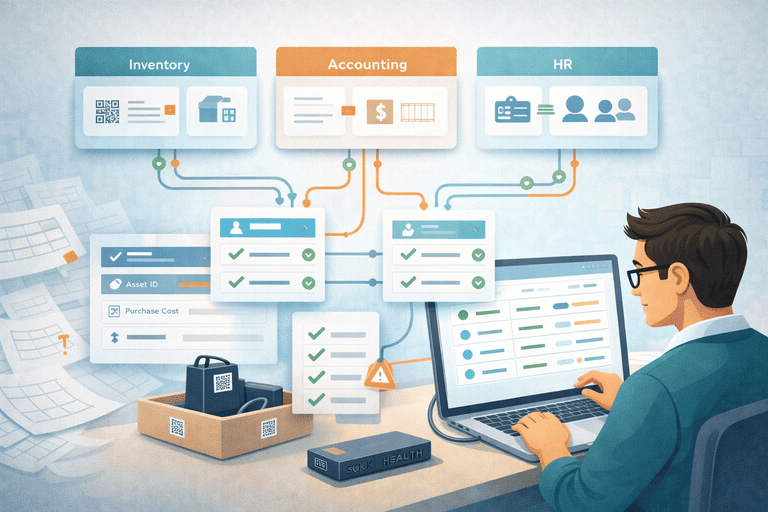
If your team needs inventory integration but does not want a full ERP rollout, this checklist gives a practical ERP-lite path you can execute in 2 weeks.
TL;DR
- Start with one integration goal: reliable ownership and valuation sync.
- Map only critical fields first (asset ID, status, assignee/location, financial reference).
- Run one pilot flow end-to-end before adding more systems.
What "ERP-Lite Integration" Means
ERP-lite does not mean weak controls.
It means sequencing integrations so a small IT team can maintain them.
Typical stack:
- asset tracking workflow system
- accounting platform
- optional HR/ITSM source for assignments
You can get value quickly without building a large enterprise program.
Minimum Integration Scope (Start Here)
| Scope item | Why it matters | Required now? |
|---|---|---|
| Asset unique ID | Keeps records matched across systems | Yes |
| Status mapping | Prevents stale lifecycle states | Yes |
| Assignee/location | Supports accountability and audits | Yes |
| Purchase value reference | Helps finance reconciliation | Yes |
| Warranty/refresh metadata | Useful for later planning | Optional |
| Full ERP object model | Slows rollout for small teams | No |
If your current process is still spreadsheet-heavy, start here first: IT Asset Register Excel Alternative for Small IT Teams.
2-Week ERP-Lite Rollout Checklist
Week 1: Define mappings and guardrails
- Pick one source-of-truth per field.
- Create status mapping table (
assigned,in storage,maintenance,retired). - Define sync direction (one-way or two-way).
- Set exception handling owner.
Week 2: Pilot and stabilize
- Sync one asset category (usually laptops).
- Validate 20-30 records manually.
- Check mismatch queue daily.
- Freeze mapping changes until pilot is stable.
For a broader buyer-level workflow, see: Inventory + Accounting Integration Without ERP (Small Teams). Use Inventory + Accounting Integration Without ERP (Small Teams) as the primary buyer comparison URL, and keep this page for rollout execution steps.
Field Mapping Template (Starter)
| Inventory field | Accounting/Finance field | Rule |
|---|---|---|
asset_id | external_asset_id | Exact match, immutable |
status | asset_status | Mapped by status table |
assigned_to | custodian | Update when assignment changes |
location | cost_center_location | Normalize location names |
purchase_date | acquisition_date | One-way from finance |
purchase_price | asset_value | One-way from finance |
Common Integration Mistakes (And Fixes)
Mistake 1: syncing too many fields too early
Fix: launch with a critical field set only.
Mistake 2: no owner for mismatch resolution
Fix: assign one weekly owner for exceptions.
Mistake 3: unclear source-of-truth
Fix: document field ownership before first sync run.
Mistake 4: trying to solve ERP scope in phase one
Fix: prove operational value first, then expand.
KPI Checks for First 30 Days
- % records synced without mismatch
- time to resolve exceptions
- overdue returns with correct owner/location data
- audit session mismatch rate
If audit quality is still weak, pair this with: IT Asset Audit Checklist (for Small IT Teams).
Next Step
If you need a practical integration flow for a small IT team:
Conclusion
Small teams do not need a heavy ERP project to get inventory integration value.
A focused ERP-lite checklist with clear mappings and ownership gives faster, safer results.
Start small, stabilize one flow, then scale.
Related reading
- Inventory Management Integration Checklist for Small IT Teams
- Inventory + Accounting Integration Without ERP (Small Teams)
- The Role of APIs in Modern Inventory Systems
- IT Asset Database Template for Small IT Teams (Excel Alternative)
- Asset Tracking Software vs ERP Modules: What to Choose?
Methodology
- This page was reviewed against adjacent InvyMate workflow pages and the external references listed below.
- Recommendations are written for practical asset-tracking operations and are intended to stay specific about workflow scope, tradeoffs, and implementation boundaries.
- This page was reviewed as an integration and systems-boundary guide, with the expectation that smaller teams may need ERP-light or staged implementation paths.
Related Standards and Guidance
- IAS 16 Property, Plant and Equipment · IFRS Foundation
- NIST SP 800-171 Rev. 3 · NIST
Try InvyMate
Start tracking assets with QR codes and scheduled audits.