Integrations
Inventory and Accounting Integration Without ERP for Teams
Compare inventory and accounting integration options without ERP, with an ERP-lite checklist for small IT teams managing fixed assets.
Narrow generic accounting-software intent into operational asset-sync use cases with realistic ERP-lite implementation boundaries.
- Inventory Integrations Hub · hub overview
- Inventory Management Integration Checklist for Teams · related article
- ERP-Lite Inventory Integration Checklist for Small Teams · related article
- Linking Asset Maintenance to Accounting and Forecasting · related article
Audience: Small IT teams connecting asset workflows to finance reporting
First 7 Days IT Asset Tracking Implementation · guide
API Access · feature page
If your team tracks laptops and peripherals in one place and finance tracks costs somewhere else, this guide shows how to connect both without launching a full ERP project.
TL;DR
- Start with a lightweight process your team can maintain weekly.
- Sync only the fields that matter for reporting and audits.
- Avoid complex integrations until ownership and asset status are reliable.
If you’re tracking fixed assets (like laptops and peripherals) rather than warehouse stock, these two are better starting points:
Introduction
Most managers do not need a deep technical integration strategy. They need fewer spreadsheet mistakes, cleaner month-end reporting, and clear answers during audits.
This page is written for that reality. It helps you choose an ERP-lite path that improves daily control first, then adds accounting sync only where it saves real time.
For a broader view of integrations (accounting, HR, and APIs), see the Inventory Integrations Hub.
ERP-Lite Decision Framework for Small Teams
Buyer Confidence Snapshot (Before You Integrate)
For non-technical managers, this is the practical bar:
- Team size fit: works best for 1-10 IT staff with recurring handovers and audits
- Time-to-value: first usable workflow in 1-2 weeks (before any advanced sync)
- Primary outcome: fewer spreadsheet corrections at month-end
- Risk control: validate ownership and status discipline before adding deeper accounting automation
For small IT teams, a full ERP rollout is usually too heavy as the first step. If your current process still depends on spreadsheet edits, manual ownership updates, and disconnected audit logs, replace that workflow first before adding ERP complexity.
| Decision signal | Spreadsheet + accounting only | ERP-lite path first |
|---|---|---|
| Team size / capacity | 1-3 IT staff, limited ops complexity | 1-10 IT staff with recurring handovers and audits |
| Current pain | Mostly reporting friction | Daily assignment/return drift + audit mismatch |
| Integration need | Monthly finance sync is enough | Need event-level sync for lifecycle changes |
| Implementation risk | Low effort, low control | Moderate effort, stronger control without full ERP rollout |
| Recommended next step | Keep simple and clean fields | Deploy lightweight asset workflow, then connect accounting |
Start with a practical transition path using IT Asset Register Template (CSV), then decide where ERP should take over by reviewing Asset Tracking vs ERP: Which System Fits Your Operations?.
If you’re specifically replacing an Excel register, use this buyer-side migration guide: IT Asset Register Excel Alternative for Small IT Teams.
Use ERP-lite when operational reliability is the blocker, not finance reporting depth.
Why Integration Matters
When inventory systems and accounting tools run separately:
- Stock updates lag behind financial records.
- Manual data entry causes mistakes.
- Reports don’t reflect real-time values.
- Budgeting decisions rely on outdated data.
If your “source of truth” is still a shared spreadsheet, this guide explains the usual breakpoints (ownership history, status, and audits): Spreadsheet Inventory Limitations.
Integration ensures one source of truth across departments.
How Integration Works
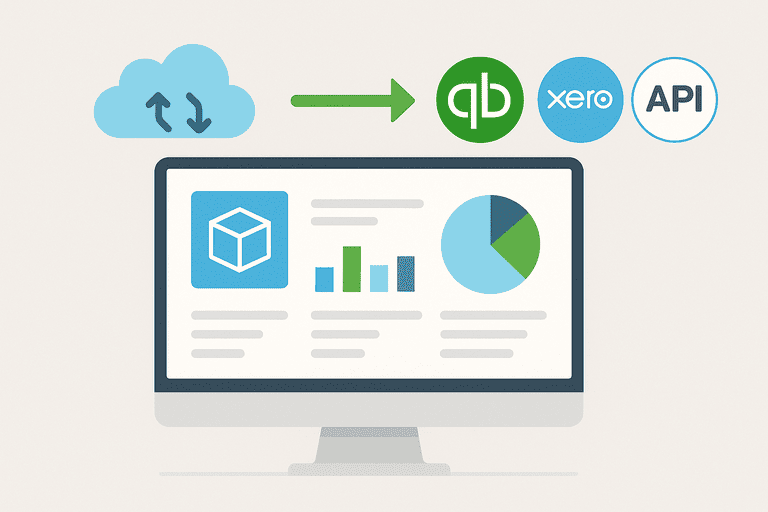
Most integrations happen through APIs that sync data between inventory management software and accounting platforms.
If you need a stable way to connect systems without manual exports, start with API access.
Typical Process
- Asset/Stock Added → Item entered into inventory system.
- Data Sync → System pushes data to accounting software.
- Automatic Updates → Costs, depreciation, or usage recorded in real time.
- Reporting → Unified data supports financial analysis and audits.
If you need to align what “audit-ready” means across both systems, start here: Inventory Audit Checklist: What to Verify and How Often.
Common Accounting Platforms Supported:
- QuickBooks
- Xero
- FreshBooks
- NetSuite
- Sage
Benefits of Inventory–Accounting Integration
1. Real-Time Financial Accuracy
- Every asset movement is instantly reflected in accounting.
- Eliminates mismatches between stock levels and financial statements.
For the depreciation side of accurate reporting, see: Asset Depreciation Methods: Explained with Examples.
2. Reduced Manual Entry
- No double entry into two systems.
- Lower error rates, faster processes.
3. Improved Compliance
- Consistent records simplify audits and regulatory checks.
- Helps meet industry reporting standards.
4. Better Cash Flow Management
- Real-time view of asset costs and inventory value.
- Easier to forecast budgets and plan purchases.
5. Data-Driven Decisions
- Reports combine operational and financial data.
- Managers can identify which assets generate the best ROI.
Example: Cafe Chain with QuickBooks Integration
A small cafe chain used spreadsheets for stock and QuickBooks for accounting. Inventory often didn’t match reported costs, leading to $15,000 in discrepancies annually.
After integrating with inventory system:
- Ingredient usage synced automatically with QuickBooks.
- Costs were updated in real time.
- Manual entry dropped by 80%.
- Financial reports became accurate, improving supplier negotiations.
👉 Related reading: How Cloud-Based Asset Tracking Beats On-Premise Solutions
To reduce write-offs caused by missing equipment (and improve forecasts), see: Hidden Costs of Replacing Lost Office Equipment.
What Data Gets Synced?
Depending on the integration, businesses can sync:
- Stock levels — current counts updated in accounting.
- Asset purchases — automatically added as expenses.
- Depreciation schedules — synced for IT and equipment.
- Cost of Goods Sold (COGS) — calculated in real time.
- Disposals or write-offs — recorded instantly.
Best Practices for Successful Integration
- Choose compatible systems — ensure your inventory tool integrates with your accounting platform.
- Define sync rules — decide what data should flow both ways.
- Start with core items — pilot the integration with one asset category.
- Train staff — ensure finance and operations teams understand new workflows.
- Review regularly — audit data accuracy and refine settings.
Common Mistakes to Avoid
- Assuming “one-size-fits-all” — some integrations are basic, others detailed.
- Overloading syncs — syncing too much data creates noise.
- Ignoring security — ensure data is encrypted during transfer.
- Skipping testing — errors multiply without a staged rollout.
Next Step for Small IT Teams
If you want to stop spreadsheet drift this quarter, run a short pilot that covers assignment tracking, audit history, and lifecycle updates before ERP rollout:
- Workflow walkthrough: How it works
- Start pilot: Start free trial
FAQ
Do small IT teams need accounting integration to track laptops?
Usually not at the start. Most teams first need reliable ownership/assignment + audits. Once your asset records are accurate, integrate where it saves time (depreciation and write-offs).
What’s the minimum data to sync?
For fixed assets: purchase cost, purchase date, lifecycle status, disposal/write-off events, and depreciation method (if you use one). Don’t sync everything “just because”.
How do we keep the integration audit-ready?
Define what “verified” means and run repeatable checks so fields don’t drift: IT Asset Audit Checklist (for Small IT Teams).
Conclusion
Integrating inventory management with accounting software eliminates silos, reduces errors, and delivers real-time financial accuracy.
For small businesses, it means less manual entry and better compliance. For larger organizations, it supports data-driven decisions and stronger ROI.
The bottom line: integration saves money, improves reporting, and makes both operations and finance more effective.
Related reading
- The Role of APIs in Modern Inventory Systems
- Linking Asset Maintenance Data to Accounting and Budget Forecasting
- Integrating Inventory with HR: Tracking Devices by Employee
- Excel vs InvyMate: Why Spreadsheets Fail at Asset Tracking
- Top 10 Inventory Management Tools Compared
- Asset tracking built for small IT teams
- IT Asset Management Hub
Methodology
- This guide was reviewed against InvyMate integration pages and external accounting and inventory-control references.
- The advice assumes a small team needs cleaner ownership and lifecycle records before attempting a deep ERP rollout.
References
- IAS 16 Property, Plant and Equipment · IFRS Foundation
- NIST SP 800-171 Rev. 3, CM-08 System Component Inventory · NIST
- CIS Controls: Inventory and Control of Enterprise Assets · Center for Internet Security
Try InvyMate
Start tracking assets with QR codes and scheduled audits.