Templates
Laptop and Peripheral Kit Checklist for Offboarding Returns
A laptop/peripheral kit checklist template focused on accessory scope during offboarding: docks, chargers, adapters, verification, and return closure.
Small IT teams often recover the laptop and still lose money on the “small stuff”:
- chargers
- docks
- adapters
- keyboards/mice
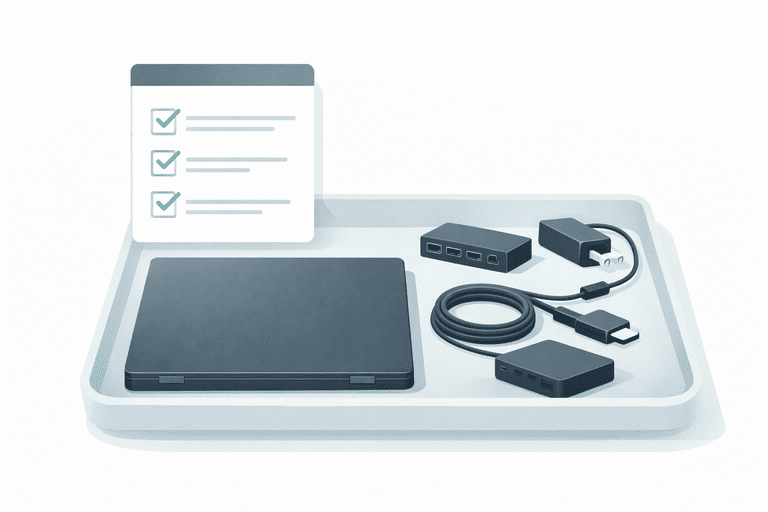
This template helps you treat issued equipment as a kit, so offboarding returns don’t leak inventory. It is the accessory-scope template page for this cluster, not the main return checklist or policy page.
Not for warehouse stock, consumables, or reordering workflows — this is for shared employee equipment.
Download the CSV template: laptop-peripheral-kit-checklist.csv
TL;DR
- Kits prevent “we got the laptop back, but not the dock”.
- Track the peripherals that create the most offboarding pain.
- Verify and close returns the same day.
Related:
- Returns process: Offboarding Equipment Return Checklist
- Policy template: IT Asset Return Policy (Template)
- Audit baseline: IT Asset Audit Checklist (for Small IT Teams)
- Register template: IT Asset Register Template (CSV)
What to Include in a Laptop Kit
Start minimal. Add only when a real failure repeats.
Recommended kit items:
- Laptop
- Charger + power cable
- Docking station (if issued)
- USB-C adapter(s) (HDMI, Ethernet, etc.)
- Laptop case/bag (if issued)
Optional (only if you issue them):
- external keyboard/mouse
- headset
- security key
How to Use the Template (Workflow)
1) Create a kit definition
Pick a kit name and a consistent kit ID:
Laptop kit/LKIT-001
2) Assign items to the kit
In your system, each item should still be a first-class asset (especially laptop + dock). The kit is the process wrapper you use during onboarding/offboarding.
3) Offboarding: verify kit items physically
At return time:
- verify serial numbers for the expensive items
- mark each line as Returned / Missing / Damaged
- update assignment/location immediately
Checklist: Offboarding Equipment Return Checklist.
4) Audit quarterly to catch drift
If kits aren’t periodically verified, they drift.
Baseline: IT Asset Audit Checklist (for Small IT Teams).
Copy/Paste Template (Header)
kit_name,kit_id,kit_owner_role,required_item_type,item_name,manufacturer,model,serial_number,tag_id,status,notes
FAQ
Should peripherals be separate assets or just kit rows?
For docks and chargers: treat them as separate assets if you can. If you can’t yet, track them in the kit template and promote to assets when losses repeat.
Do kits replace an asset register?
No. The register is the “inventory truth”. Kits are the “return process”. Use both:
- Register: IT Asset Register Template (CSV)
- Offboarding: Offboarding Equipment Return Checklist
How do we stop kits from drifting over time?
Quarterly verification + restricted edit rights + clear ownership: Role-Based Permissions in Inventory Systems.
How InvyMate Helps
InvyMate helps you keep kits accurate by making assets easy to identify (QR) and easy to verify (inventory sessions).
Start here: Asset tracking built for small IT teams.
Related reading
- Offboarding Equipment Return Checklist
- IT Asset Audit Checklist (for Small IT Teams)
- IT Asset Register Template (CSV)
- Laptop Asset Tracking for Small IT Teams
Methodology
- This page was reviewed against adjacent InvyMate workflow pages and the external references listed below.
- Recommendations are written for practical asset-tracking operations and are intended to stay specific about workflow scope, tradeoffs, and implementation boundaries.
- This page was reviewed as a template or policy starting point and should be adapted to local workflow, approval, and compliance requirements before operational use.
Related Standards and Guidance
- CIS Critical Security Control 1: Inventory and Control of Enterprise Assets · Center for Internet Security
- NIST SP 800-171 Rev. 3 · NIST
Try InvyMate
Start tracking assets with QR codes and scheduled audits.