Templates
IT Asset Inventory List Template for Small IT Teams
Use this IT asset inventory list template as a starter spreadsheet with clear ownership, status, and verification fields plus an upgrade path beyond manual
Need an IT asset inventory list template that your team can actually keep accurate? This page is the starter-list template for the cluster. Use it when you need a practical first spreadsheet format and a clear upgrade path, not a broad tool-migration decision page.
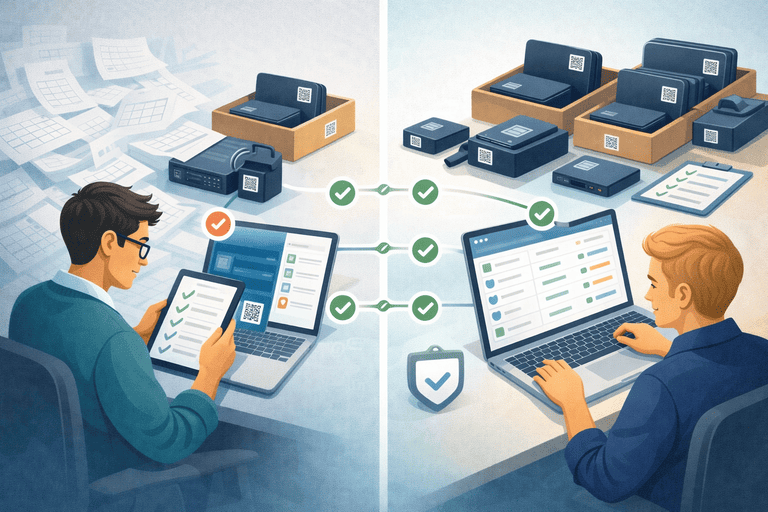
TL;DR
- Start with a short inventory list template focused on ownership, status, and verification.
- For small IT teams, the goal is not “more columns”; it is reliable answers about who has what right now.
- Use a 2-week rollout: clean core fields first, then move day-to-day updates into a workflow system.
When an Inventory List Stops Being Reliable
Most teams start with a spreadsheet list and that is fine early on.
Problems appear when the list becomes your only source of truth for daily operations.
Common signals:
- duplicate rows for the same device
- unclear owner/location fields
- returns handled in chat or email only
- audit prep takes half a day or more
If that broader workflow failure is already happening, move first to the main spreadsheet-replacement page: IT Asset Register Excel Alternative for Small IT Teams.
Small-Team Template: Minimum Fields That Matter
Use this as your baseline list structure.
| Field | Why it matters | Required? |
|---|---|---|
| Asset ID | Permanent reference for handoffs/audits | Yes |
| Asset name | Human-readable item label | Yes |
| Asset type | Laptop, monitor, dock, peripheral | Yes |
| Serial number | Verification and warranty anchor | Yes |
| Status | Assigned, in storage, maintenance, retired | Yes |
| Assigned to / location | Current holder or location | Yes |
| Last verified date | Audit confidence signal | Yes |
| Notes | Exceptions and clarifications | Optional |
Ready CSV version: IT Asset Register Template (CSV) for Small IT Teams.
Copy/Paste Header for Fast Start
asset_id,asset_name,asset_type,serial_number,status,assigned_to,location,last_verified_date,notes
Decision Table: Keep Spreadsheet vs Replace
| Decision point | Keep spreadsheet for now | Replace with workflow system |
|---|---|---|
| Team size and churn | Stable, low movement | Frequent handoffs/offboarding |
| Update ownership | One owner, occasional updates | Multiple editors, daily changes |
| Audit effort | Under 1 hour/session | Reconciliation every cycle |
| Return tracking | Rarely used assets | Regular checkout/returns |
If your team is crossing into the right-hand column, move to a system with built-in assignment history and audit sessions.
2-Week Rollout Plan
Week 1: Clean and standardize
- Remove duplicates and stale items.
- Standardize asset type names.
- Fill missing serials and status values.
- Set one owner for list quality.
Week 2: Stabilize daily operations
- Run check-in/check-out on high-churn assets.
- Add return-closure tracking for offboarding.
- Run one mini-audit and resolve mismatches same day.
- Expand to next asset category only after stable week.
Checklist support: IT Asset Management Checklist for Small IT Teams (60-Minute Weekly Flow).
Objections You’ll Hear (And What to Do)
“We are too small to change tools.”
Small teams benefit first because one missing device creates immediate support load.
“We need to keep export flexibility.”
Keep CSV export for reporting, but run live ownership and return updates in one operational system.
“This sounds like ERP.”
It is not. Keep it lightweight. Track ownership, status, and verification first; add integration later.
If the list stays accurate until audit day and then falls apart during verification, use: Audit Excel Alternative for IT Assets (Small Team Migration Guide).
Next Step
If your inventory list is becoming hard to trust, run a small pilot now:
Conclusion
An IT asset inventory list template works only if it stays current in daily use.
For small IT teams, practical tracking beats complex structure: clean fields, ownership clarity, and repeatable verification.
Start simple, then move from list maintenance to workflow-driven tracking before spreadsheet drift creates loss.
Related reading
- IT Asset Register Template (CSV) for Small IT Teams
- IT Asset Database Template for Small IT Teams (Excel Alternative)
- Audit Excel Alternative for IT Assets (Small Team Migration Guide)
- IT Asset Audit Checklist (for Small IT Teams)
- Offboarding Equipment Return Checklist (Laptops + Peripherals)
- Inventory Control Tools for Small IT Teams: Buyer Guide
Methodology
- This page was reviewed against adjacent InvyMate workflow pages and the external references listed below.
- Recommendations are written for practical asset-tracking operations and are intended to stay specific about workflow scope, tradeoffs, and implementation boundaries.
- This page was reviewed as a template or policy starting point and should be adapted to local workflow, approval, and compliance requirements before operational use.
Related Standards and Guidance
- CIS Critical Security Control 1: Inventory and Control of Enterprise Assets · Center for Internet Security
- NIST SP 800-171 Rev. 3 · NIST
Try InvyMate
Start tracking assets with QR codes and scheduled audits.